
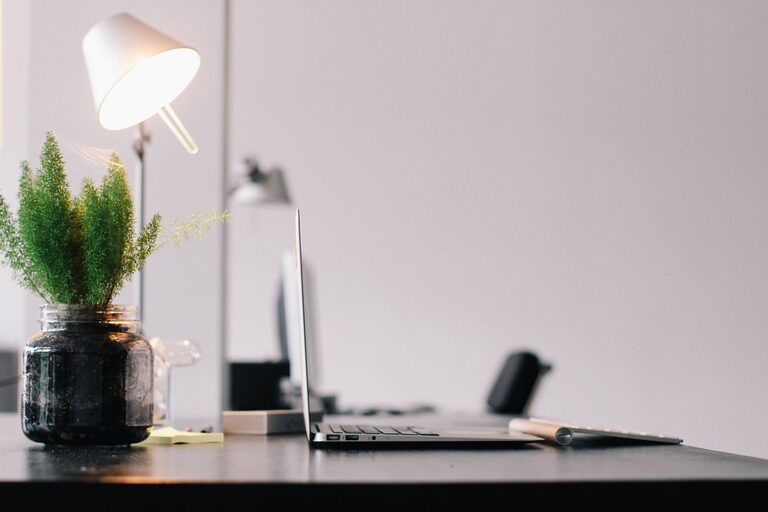
Setting up a home office that promotes productivity can transform your work-from-home experience. Whether you’re freelancing, running a business, or working remotely for a company, having an organized, comfortable, and inspiring space makes all the difference. This guide offers practical tips to help you create a productive home office environment that supports your focus and well-being.
Choose the Right Location
Selecting a dedicated space for your home office is the first step toward establishing a productive work area.
– Quiet and Low-Distraction Zone: Pick a spot in your home that is away from high-traffic areas such as the kitchen or living room. Minimizing noise and interruptions can help maintain your concentration.
– Natural Light Access: If possible, choose a space near a window. Natural light helps reduce eye strain and can improve your mood and energy levels throughout the day.
– Space for Essentials: Make sure the space is large enough to fit your desk, chair, computer, and any other tools you need.
Invest in Comfortable and Ergonomic Furniture
Comfort is key when working for long hours. Ergonomics can improve posture and prevent strain-related injuries.
– Ergonomic Chair: Choose an adjustable chair that supports your lower back and encourages good posture.
– Appropriate Desk Height: Your desk should allow your arms to rest comfortably at a 90-degree angle when typing. Adjustable desks or standing desks are great options.
– Monitor Positioning: Place your computer screen at eye level, about 20–30 inches away to avoid neck and eye strain.
Keep Your Space Organized and Clutter-Free
An organized workspace can boost your productivity by reducing distractions.
– Use Storage Solutions: Incorporate shelves, drawers, or filing cabinets to keep paperwork and office supplies neatly stored away.
– Limit Desk Items: Keep only the essentials on your desk, such as your computer, notepad, and a pen.
– Cable Management: Use clips or cable organizers to keep cords tidy and prevent tangling.
Optimize Lighting
Proper lighting reduces eye strain and helps maintain alertness.
– Combine Natural and Artificial Lighting: Use natural light when available and supplement with soft, bright desk lamps.
– Avoid Glare: Position screens to prevent glare from windows or overhead lights.
– Use Daylight Bulbs: Choose bulbs that mimic natural light to create a comfortable working atmosphere.
Personalize Your Workspace
Adding personal touches can make your home office more inviting and motivating.
– Decorate Thoughtfully: Add plants, artwork, or photos that inspire you without causing distraction.
– Use Color Psychology: Choose colors that promote focus and calm, such as blues or greens.
– Comfort Items: Consider a small cushion or footrest to enhance comfort during work hours.
Establish Boundaries and a Routine
Separating work from home life helps improve productivity and maintain balance.
– Set Work Hours: Define clear start and end times for your workday.
– Create Signals: Use cues like closing the office door or turning on a desk lamp to signal work time.
– Breaks and Movement: Schedule regular breaks to stretch, hydrate, and rest your eyes.
Minimize Digital Distractions
Technology is essential but can also be distracting if not managed well.
– Use Productivity Tools: Applications like timers, website blockers, or focus apps can help keep you on task.
– Manage Notifications: Turn off non-essential notifications on your devices during work hours.
– Dedicated Work Devices: If possible, use a separate computer or tablet for work to avoid mixing personal and professional tasks.
Maintain Air Quality and Temperature
A comfortable environment supports concentration.
– Ventilation: Keep your office well-ventilated with fresh air when possible.
– Temperature Control: Aim for a comfortable temperature, typically around 68–72°F (20–22°C).
– Add Plants: Indoor plants can help improve air quality and add a calming element to your workspace.
Regularly Review and Adapt Your Space
Your needs may change, so it’s important to periodically assess your home office setup.
– Adjust as Needed: Change furniture arrangement or lighting based on what works best.
– Upgrade Equipment: Replace old or inefficient tools to enhance productivity.
– Solicit Feedback: If you share your home office with family, ask for their input on noise or distractions.
Conclusion
Creating a productive home office environment involves thoughtful planning, organization, and attention to comfort. With these tips, you can design a space that supports your focus and efficiency while making working from home a positive experience. Remember, the best workspace is one that suits your personal preferences and work style, so don’t hesitate to customize your home office until it feels just right for you.