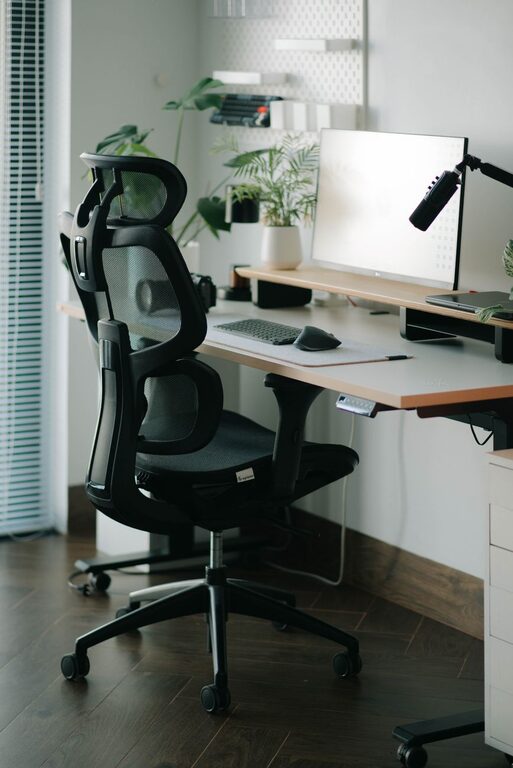
Creating a productive home workspace is essential in today’s world, where many people work or study from home. An organized and well-planned space can help improve focus, reduce distractions, and make your workday more enjoyable. Whether you have a dedicated room or just a corner of your living space, these tips will guide you in setting up a workspace that enhances your productivity and comfort.
Why Organizing Your Home Workspace Matters
A cluttered or poorly arranged workspace can be a major distraction, leading to lower productivity and increased stress. When your environment is organized, it’s easier to find what you need, stay focused on your tasks, and maintain a healthy work-life balance. Plus, a pleasant workspace motivates you to start your workday on the right foot.
Choosing the Right Location
Find a Quiet, Low-Traffic Area
Choose a spot in your home where you can work without frequent interruptions. Ideally, this should be away from noise such as televisions, household chores, or foot traffic. A quiet environment helps maintain concentration, especially during meetings or tasks requiring deep focus.
Consider Lighting and Ventilation
Natural light is a huge plus for any workspace. It can reduce eye strain and lift your mood. Position your desk near a window if possible. If natural light is limited, invest in good quality artificial lighting that reduces glare and eye fatigue. Also, ensure your space has proper ventilation to keep air fresh and your mind alert.
Ergonomic Furniture and Setup
Invest in a Comfortable Chair
Since you may spend several hours sitting, a supportive and adjustable chair is essential to prevent back pain and maintain good posture. Look for chairs designed for office work with lumbar support.
Use a Desk That Fits Your Needs
Choose a desk with enough surface area to hold your computer, essential tools, and any reference materials. Adjustable desks or standing desks provide flexibility, allowing you to alternate between sitting and standing positions.
Positioning Your Screen and Keyboard
Place your monitor at eye level, about an arm’s length away to avoid neck strain. Your keyboard and mouse should be positioned so your wrists are straight and your elbows are close to your body at 90 degrees.
Declutter and Organize
Clear the Surface
Keep only the items you frequently use on your desk. Excess items can cause visual clutter and distract your focus. Use trays or pen holders to keep pens, notepads, and other accessories tidy.
Use Storage Solutions
Shelves, drawers, and filing cabinets help you store documents and supplies out of immediate sight but within reach. Label storage containers for easy access to what you need.
Manage Your Cables
Tangled cables can look messy and create obstacles. Use cable organizers, clips, or sleeves to bundle and secure wires neatly along the desk or wall.
Keep Essential Supplies Nearby
Having your most-used items like pens, notebooks, chargers, and planners close at hand saves time and keeps your workflow smooth. However, avoid overcrowding your workspace—balance accessibility and tidiness.
Personalize Your Workspace
Add elements that make your workspace inviting without overwhelming it. This could be a small plant, artwork, or a motivational quote. These touches can boost mood and creativity while still maintaining professionalism.
Establish a Routine for Tidying Up
Spend a few minutes at the end of each day organizing your workspace. Put away papers, wipe down surfaces, and prepare for the next day. Regular tidying helps maintain an environment that promotes productivity and reduces stress.
Minimize Distractions
Use Headphones or White Noise
If noise is unavoidable, noise-canceling headphones or playing ambient sounds can help you concentrate.
Turn Off Non-Essential Notifications
Limit interruptions by disabling notifications from apps or devices that aren’t work-related during your working hours.
Incorporate Break Areas
If space allows, having a separate spot for breaks encourages you to step away from the work desk, helping you refresh your mind and return to work with better focus.
Final Thoughts
Organizing a productive home workspace is about creating an environment tailored to your needs that supports focus, comfort, and efficiency. By choosing the right location, investing in ergonomic furniture, minimizing clutter, and establishing routines, you can transform any space into a productive work zone. Remember, a well-organized workspace not only improves productivity but also enhances your overall well-being while working from home.